 WristGrid by Gurfus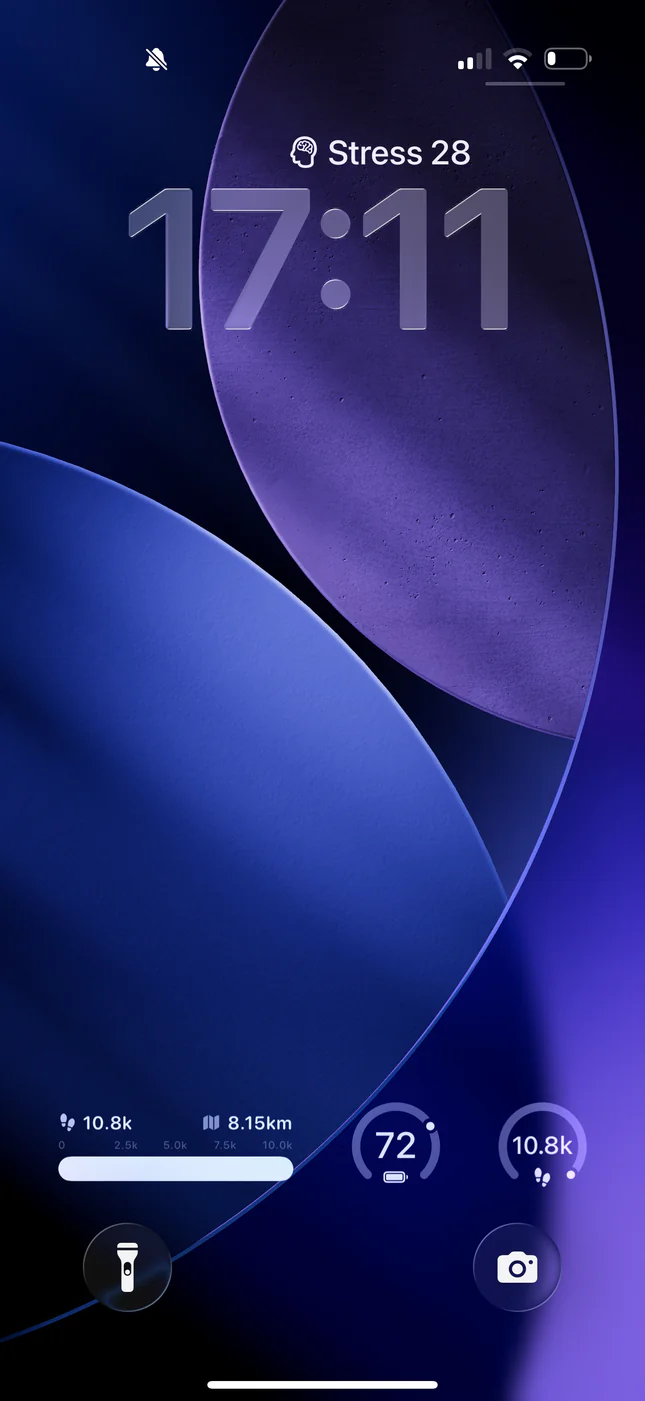
Lock Screen vs Home Screen widgets
Lock Screen widgets are small, circular, and always visible before unlock; Home Screen widgets can be larger with more detail and progress bars. WristGrid supports both so you can keep a tiny Body Battery by the clock and a richer briefing on the Home Screen.
Which metrics fit the Lock Screen
Compact gauges like Body Battery and Stress are ideal for circular Lock Screen widgets. Steps progress and multi-metric layouts usually belong on the Home Screen where there is more space.
How to set it up
Pair your watch with WristGrid via GW Bridge, then customize your Lock Screen and add the WristGrid widget you want. If WristGrid does not appear, open the app once so iOS registers its extensions.
WristGrid is an independent product and is not affiliated with, endorsed by, or sponsored by Garmin. Garmin and Connect IQ are trademarks of Garmin Ltd.