 WristGrid by Gurfus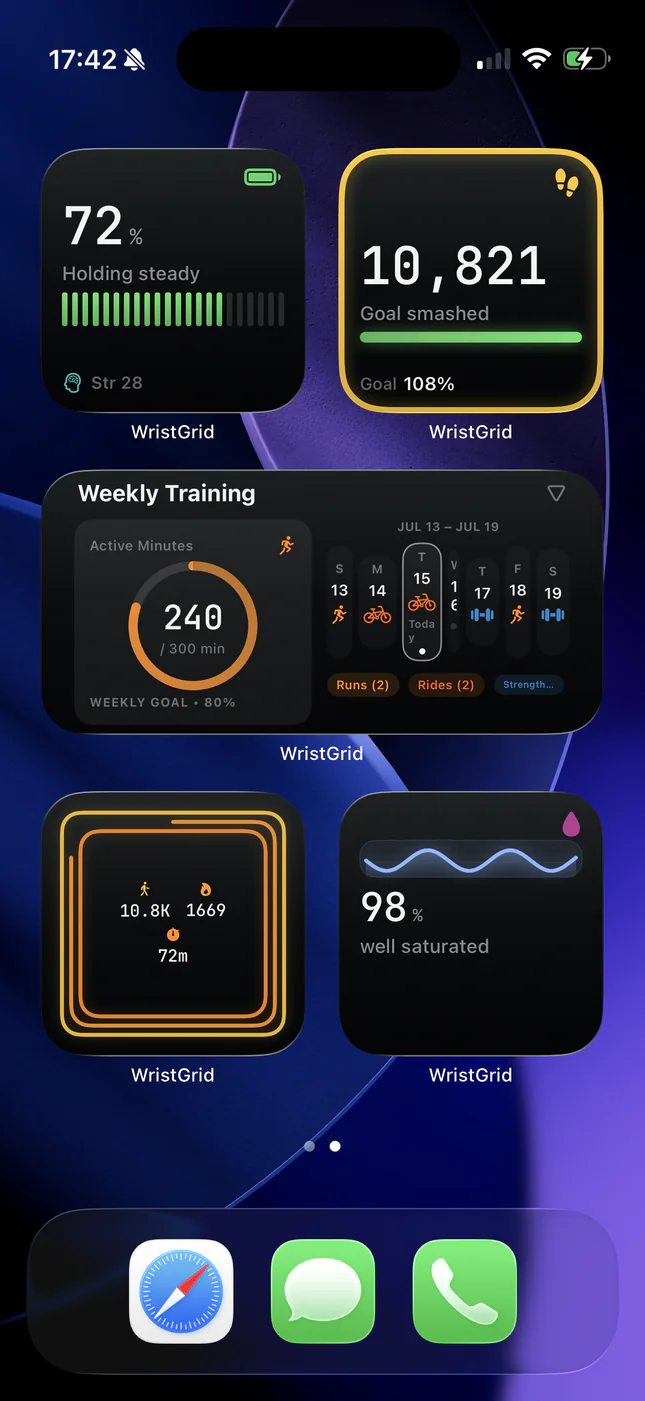
Garmin data needs a companion path to become an iPhone widget.
Garmin does not provide a public widget API for this use case. GW Bridge (Connect IQ) runs on the watch, while the iPhone app communicates using Garmin's official Connect IQ iOS companion SDK, declared in the app's project.yml, with Garmin Connect Mobile installed for device authorization. WristGrid handles normalization and the iOS widget snapshot.
This also keeps responsibilities clear: Garmin supplies watch-native readings, WristGrid computes its own sleep, recovery, and training-load scores, and WidgetKit presents the result.
What happens to a reading.
- The watch records the signal. Garmin-native metrics such as steps, Body Battery, heart rate, stress, SpO2, and recovery time start on the watch.
- GW Bridge passes selected data onward. GW Bridge (Connect IQ) runs on the compatible watch; the iPhone app communicates using Garmin's official Connect IQ iOS companion SDK, with Garmin Connect Mobile installed for device authorization.
- WristGrid normalizes and stores it. The iPhone app writes local stores and computes WristGrid-derived sleep score, recovery score, and training load from the relevant inputs.
- The app writes an App Group snapshot. This cached snapshot is the shared boundary between the full app and its WidgetKit extensions.
- WidgetKit renders a family. Home Screen small and medium widgets or Lock Screen circular, rectangular, and inline widgets read the local snapshot and show the fields that fit.
Why widgets are not continuously live.
WidgetKit controls when a timeline entry is displayed and refreshed. A widget extension does not make a network request to Garmin, so it cannot bypass iOS scheduling to display a continuously live value.
The honest model is periodic refresh: the GW Bridge registers a 15-minute temporal event, Lock Screen timelines use 10-, 15-, or 30-minute intervals, and WidgetKit decides the actual timing. In practice, expect a refresh typically within 15 to 60 minutes rather than a guaranteed instant update.
What a cache-only widget means for you.
- A widget can show the last good local snapshot when a newer reading is not available.
- A dash or stale state is an honest signal that the cache has no fresh value to display.
- Opening WristGrid can help force a fresh local snapshot; the watch, Garmin Connect Mobile, GW Bridge, and Bluetooth still need to be available.
- There is no account, analytics can be turned off in settings, and your health data is not uploaded to the cloud.