 WristGrid by Gurfus
 Garmin widget guides.
Practical, step-by-step guides for putting Garmin metrics on your iPhone Home Screen and Lock Screen with WristGrid: setup, sync, and fixes.
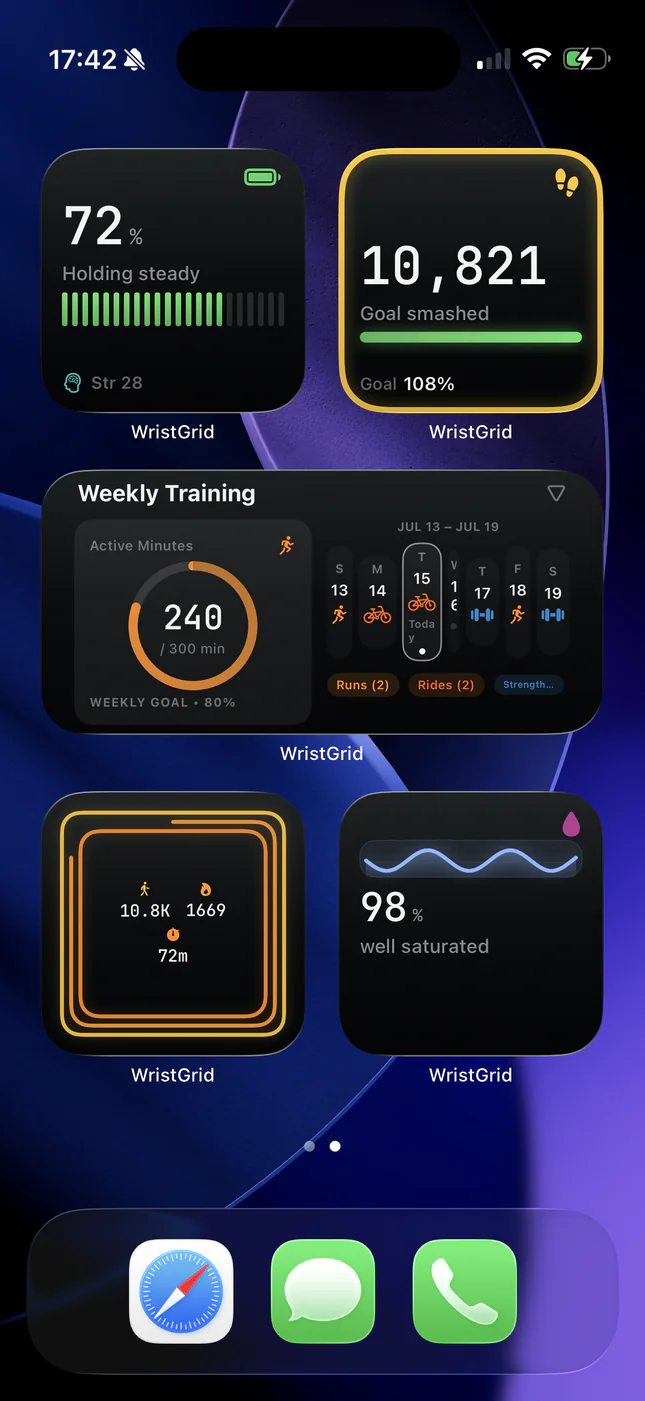
- Does Garmin Connect Have iPhone Widgets? (And What Works) Garmin Connect has no native iPhone Home Screen widgets. Here's why, and how WristGrid puts your Garmin metrics on your iPhone anyway.
- Garmin Widget for iPhone: Home Screen Setup (Garmin Connect Data) Garmin widget for iPhone: put Body Battery, steps, and sleep on your Home Screen as iOS widgets. Step-by-step WristGrid setup: Garmin Connect has no native widget.
- Garmin Body Battery iPhone Widget: See It on Your Home Screen See your Garmin Body Battery on your iPhone Home Screen. WristGrid turns it into a glanceable iPhone widget with periodic refresh from a local snapshot.
- Garmin Sleep Score Widget for iPhone: How to See It Put a sleep score widget on your iPhone Home Screen. WristGrid computes its score from Garmin sleep data: duration 40%, structure 30%, efficiency 30%.
- Garmin Recovery Widget for iPhone: Readiness at a Glance Track Garmin recovery time and a WristGrid-derived recovery score from your iPhone. WristGrid shows both as glanceable iPhone widgets.
- Garmin Stress Widget for iPhone: See Your Stress Level Put your Garmin stress level on your iPhone Home Screen. WristGrid shows stress and energy as glanceable iPhone widgets from local snapshots.
- Add a Garmin Steps Widget to Your iPhone See your Garmin step count and distance on your iPhone Home Screen. WristGrid turns steps into a glanceable iPhone widget with periodic refresh.
- Garmin Lock Screen Widgets for iPhone, Explained Add Garmin Lock Screen widgets to your iPhone. WristGrid shows Body Battery, stress, and more as circular Lock Screen widgets.
- See Your Garmin Heart Rate on Your iPhone: Widget Guide See Garmin-native heart rate and resting heart rate on your iPhone with a WristGrid widget. Covers Lock Screen and Home Screen surfaces, sync, and limits.
- Garmin Widget Not Updating on iPhone? Here's What to Check Is your Garmin widget not updating on iPhone? Check the local snapshot, WristGrid, GW Bridge, Bluetooth, watch proximity, and the next WidgetKit refresh.
- Do Garmin Widgets Drain Your iPhone Battery? (Short: No) Do Garmin widgets drain your iPhone battery? WristGrid widgets read local snapshots without network, GPS, or widget-side background sensors.