 WristGrid by Gurfus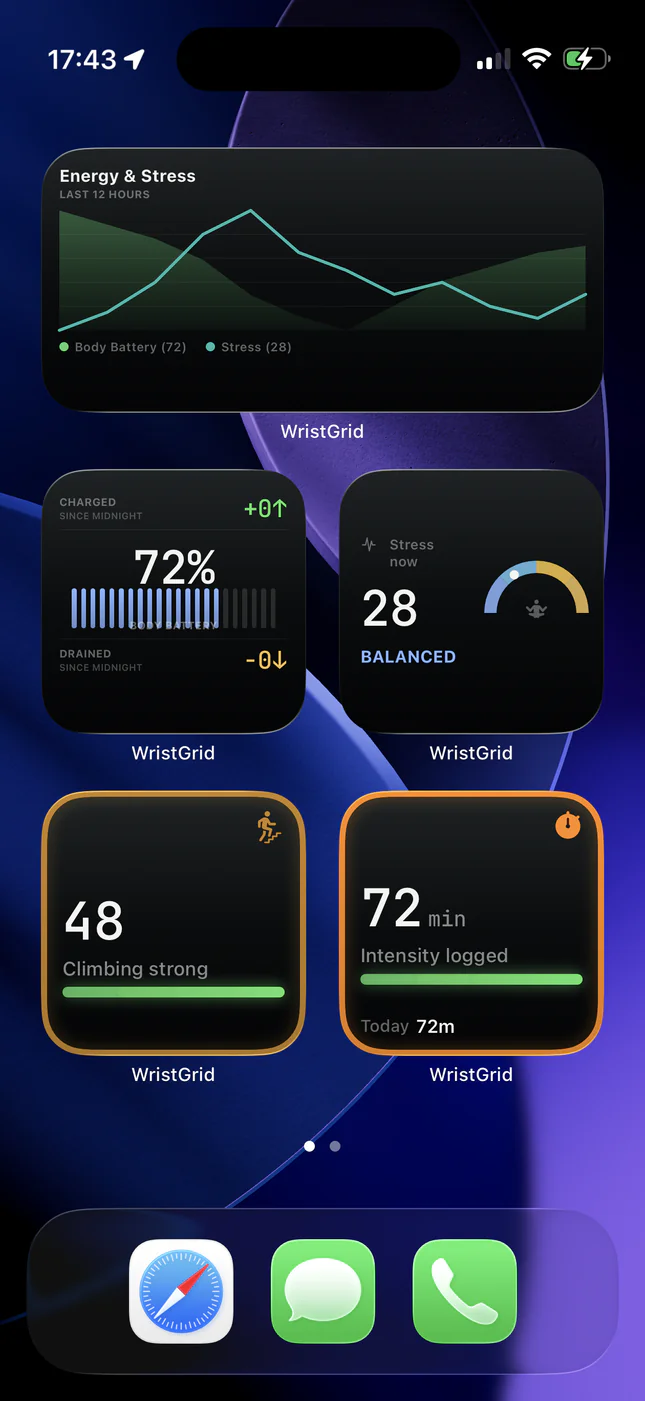
What the widget does on iPhone
A WristGrid widget reads a local snapshot that is already available to the iPhone widget extension. The widget itself makes no network calls, uses no GPS, and does not run background sensors from the widget side.
That cache-only design is why the widget is battery-neutral compared with an app that polls for new data continuously. It renders what is available rather than keeping a live collection process running.
Where the bridge fits
GW Bridge on Connect IQ does the watch-side work that provides the local snapshot. The companion app and bridge use some watch battery like any Connect IQ app; that is separate from the iPhone widget’s own battery behavior.
Watch-side work remains with GW Bridge. The widget reads the result that the bridge path makes available.
Why iPhone impact stays minimal
WidgetKit batches timeline renders, so iOS decides when the widget needs to render instead of asking it to poll continuously. The widget also avoids network calls, GPS, and widget-side background sensors.
Refresh remains periodic and WidgetKit-controlled, typically within 15 to 60 minutes. That timing is not a guaranteed interval, but it avoids the battery pattern of a widget that repeatedly polls for fresh readings.
Requirements and honest expectations
Use an iPhone on iOS 18 or later with Garmin Connect Mobile installed, Bluetooth turned on, GW Bridge installed from the Connect IQ Store, and a compatible Garmin watch (any watch listed for GW Bridge on the Connect IQ Store).
Keep the phone near the watch when the bridge path needs to sync. The bridge uses some watch battery like any Connect IQ app; the iPhone widget itself remains a local-snapshot reader and does not guarantee a particular refresh time.
WristGrid is an independent product and is not affiliated with, endorsed by, or sponsored by Garmin. Garmin and Connect IQ are trademarks of Garmin Ltd.